Text and image to CAD
CAD you can talk to
CAD for people who do not use CAD. Describe the part in an ordinary sentence, or attach a drawing or photo. SaySolid builds a 3D solid, measured in millimetres, that you can orbit, check and change.
Coming sooniPhone & iPadHow it works
Measured in millimetresRevision historyMoving parts
Sizes in millimetres
“Make it exactly 120 mm wide”More than one part
“Add a hinged lid”Change it in the chat
“Make it 20 mm taller”In the app
Every step, on screen.
Screens from the iPhone and iPad app. Every part in them was built by SaySolid from a chat message.
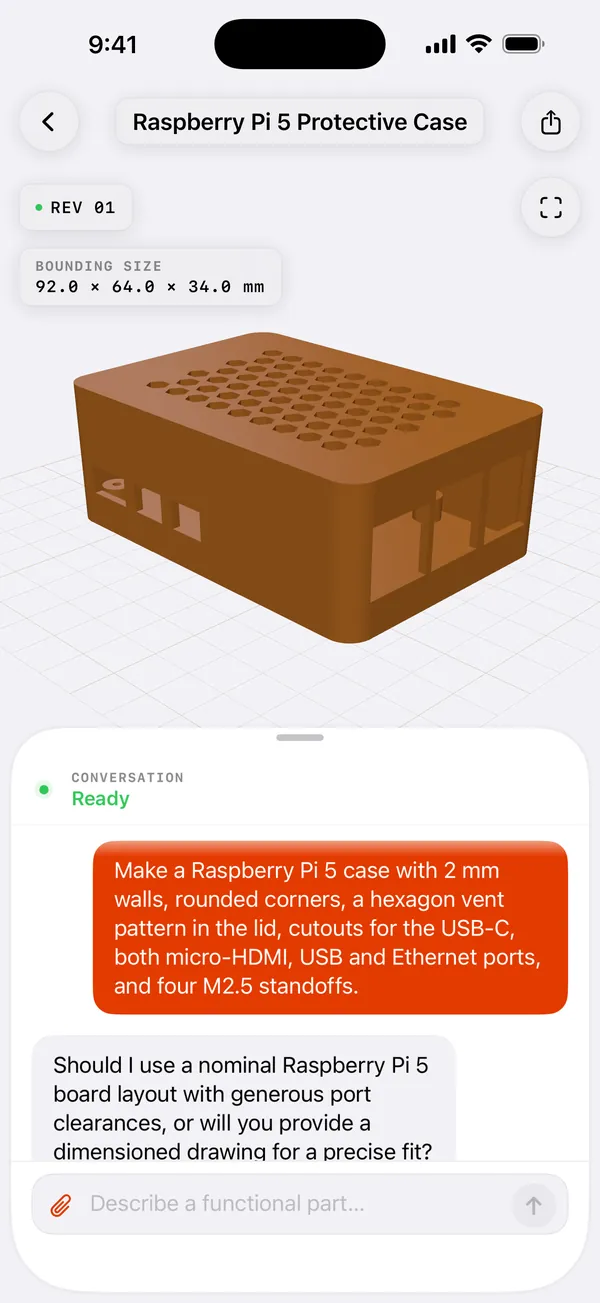
Describe it
Type the part and the sizes you need. SaySolid asks when a detail is missing.
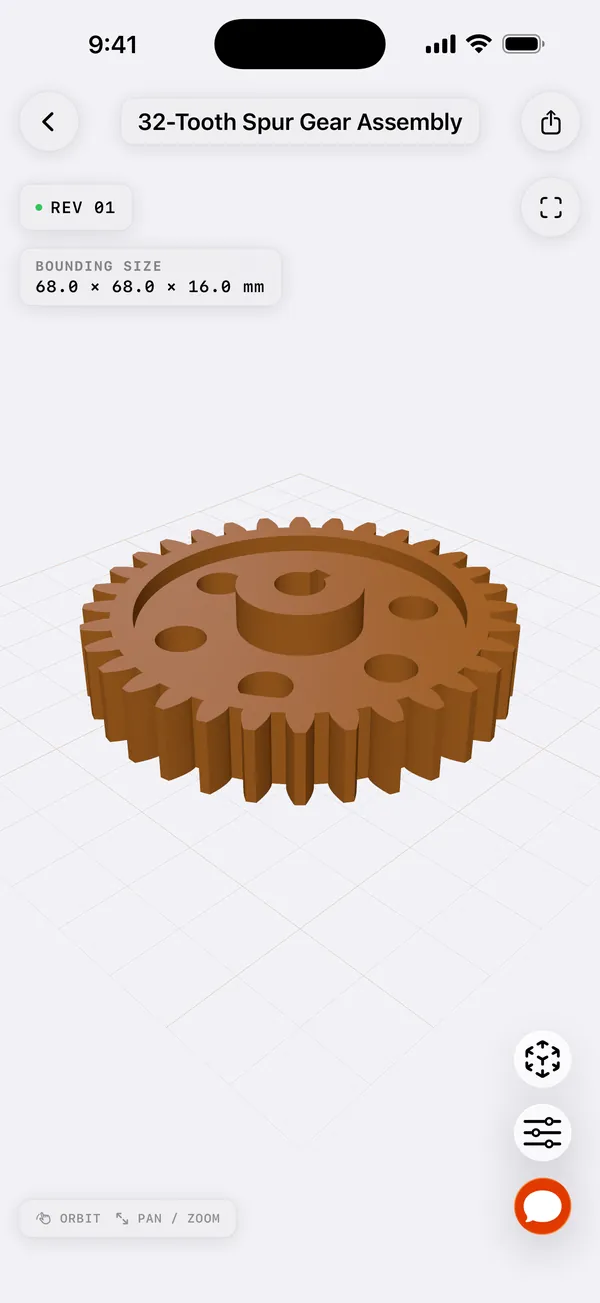
Check the size
Every model shows its overall size in millimetres, measured from the finished part.
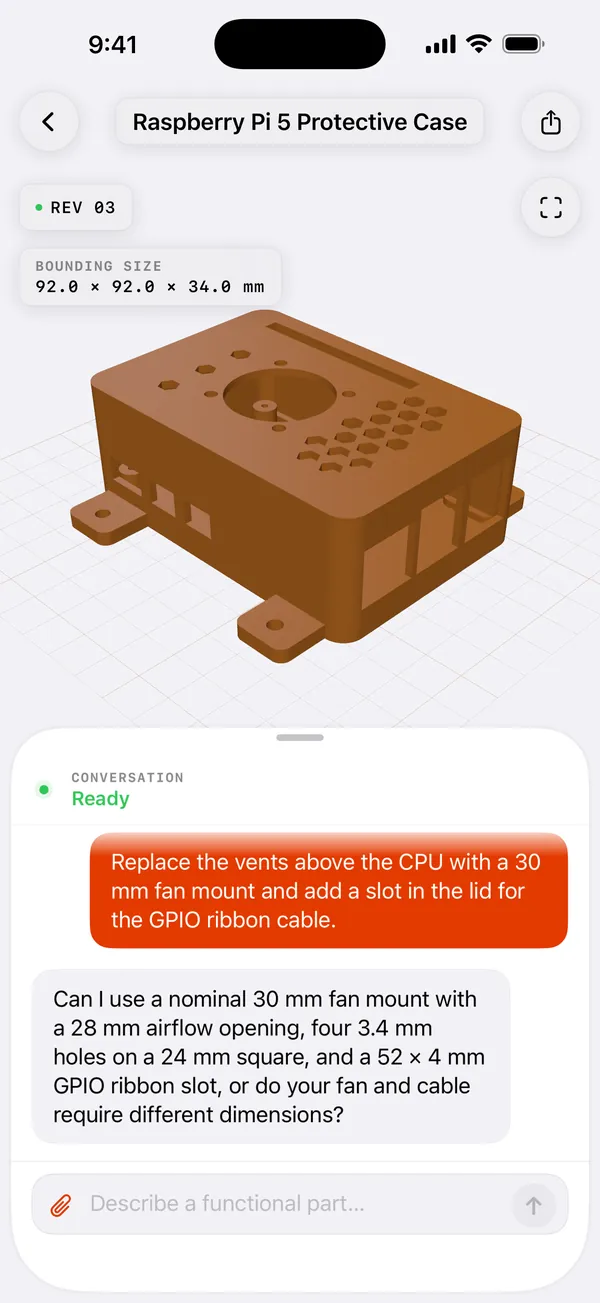
Change it
Ask for a fan mount and a cable slot in the chat, and get the next revision.
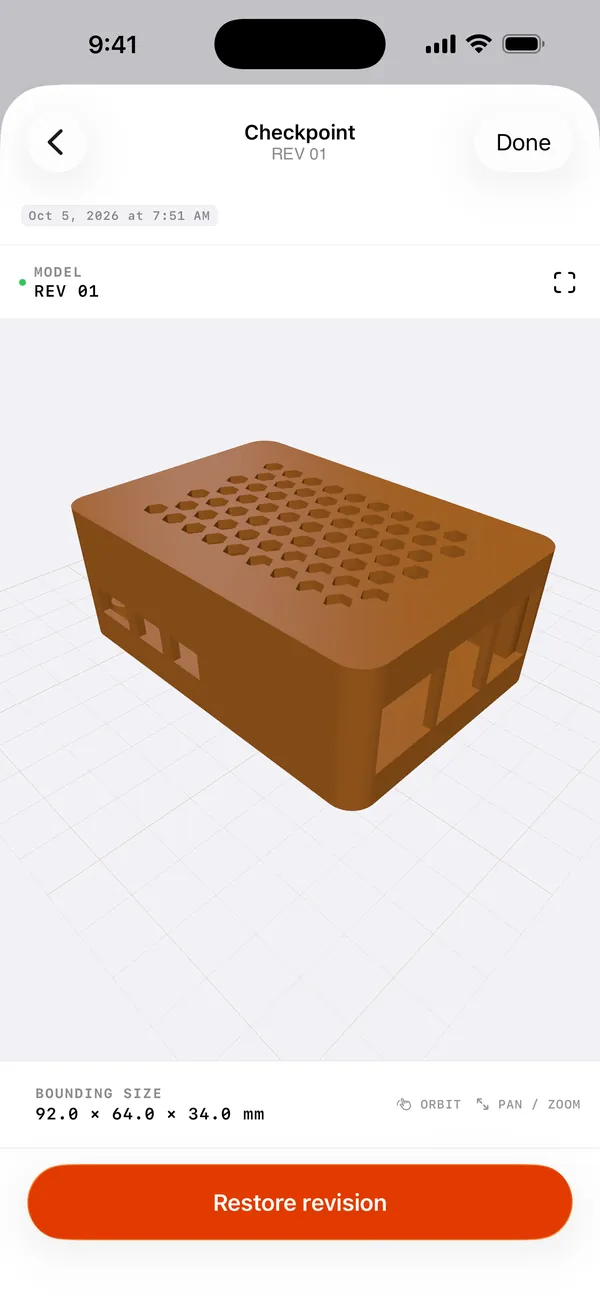
Go back
Every revision is a checkpoint. Open an earlier one and restore it.
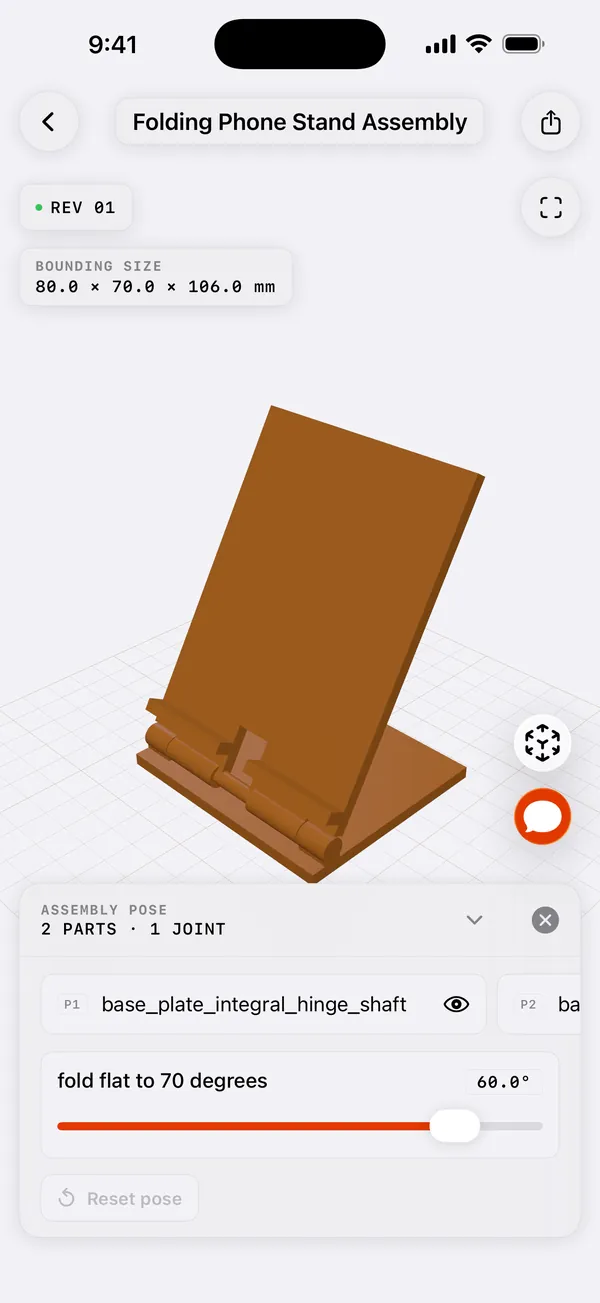
Pose the joints
Drag a joint slider and watch the parts move together.
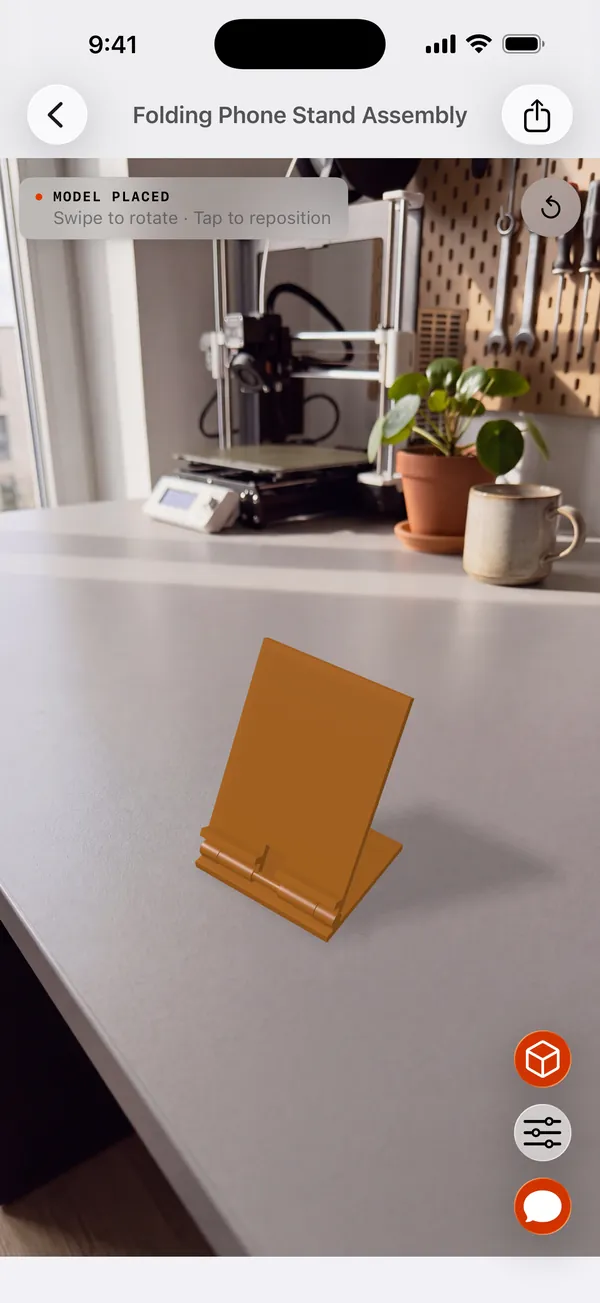
See it life-size
Place the part on your desk at its real size before you print it.
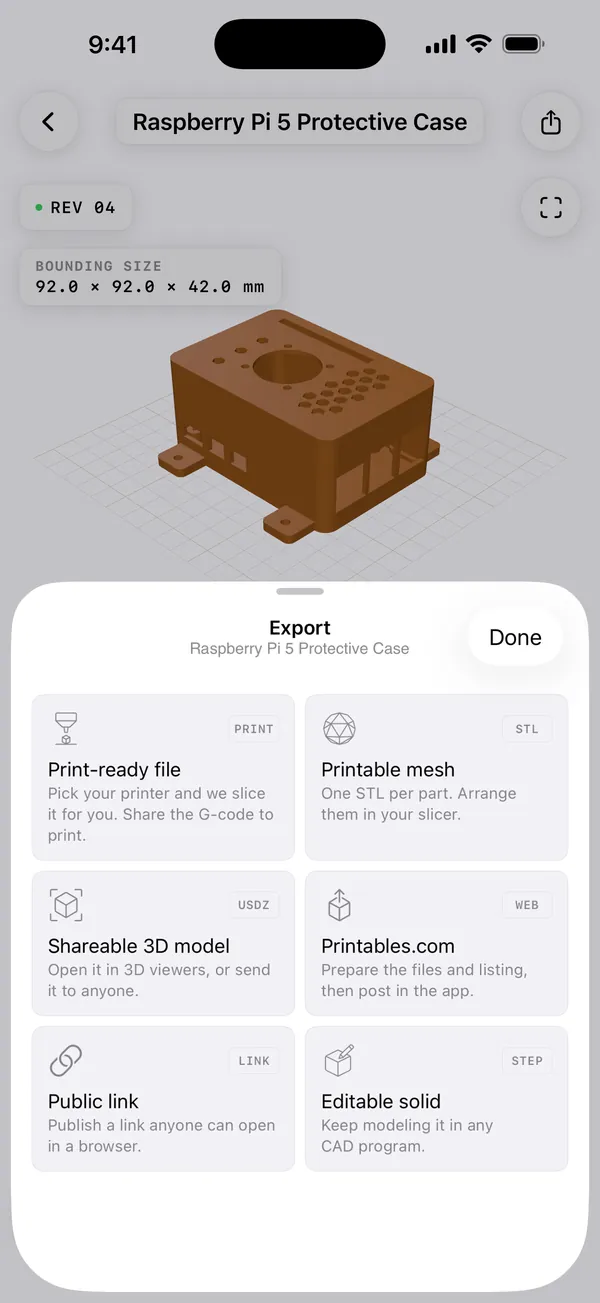
Export it
Save a STEP solid for CAD, an STL mesh for your slicer, or a USDZ model to share.
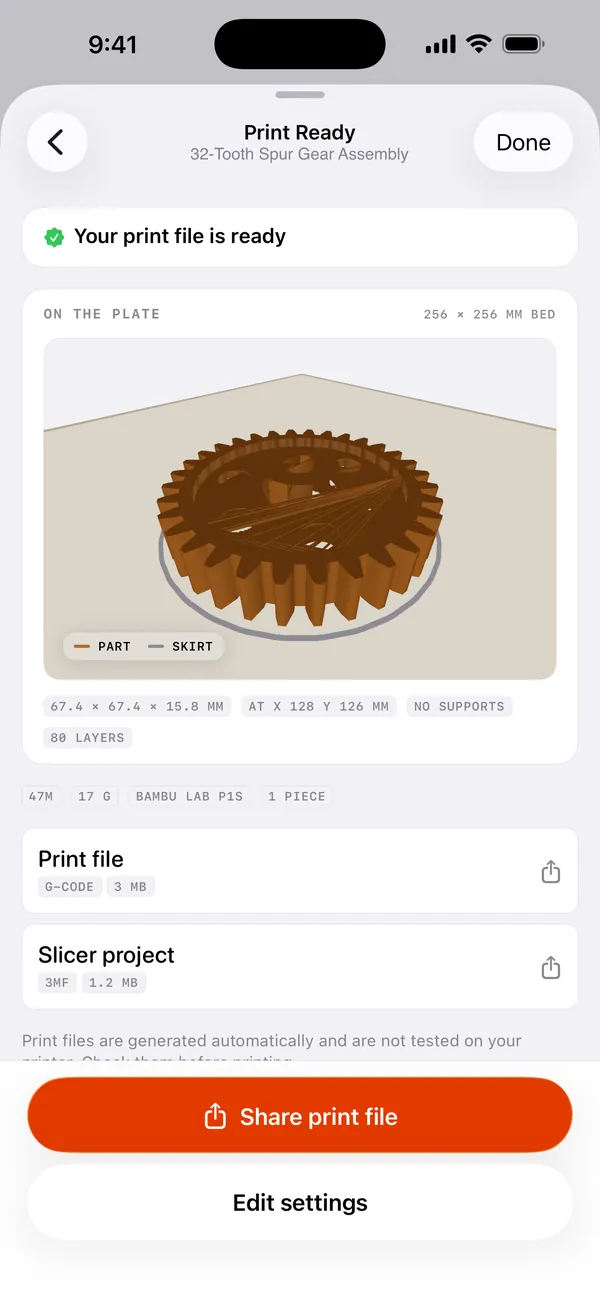
Slice it
Pick your printer. SaySolid slices the part, then you share the G-code or 3MF file.
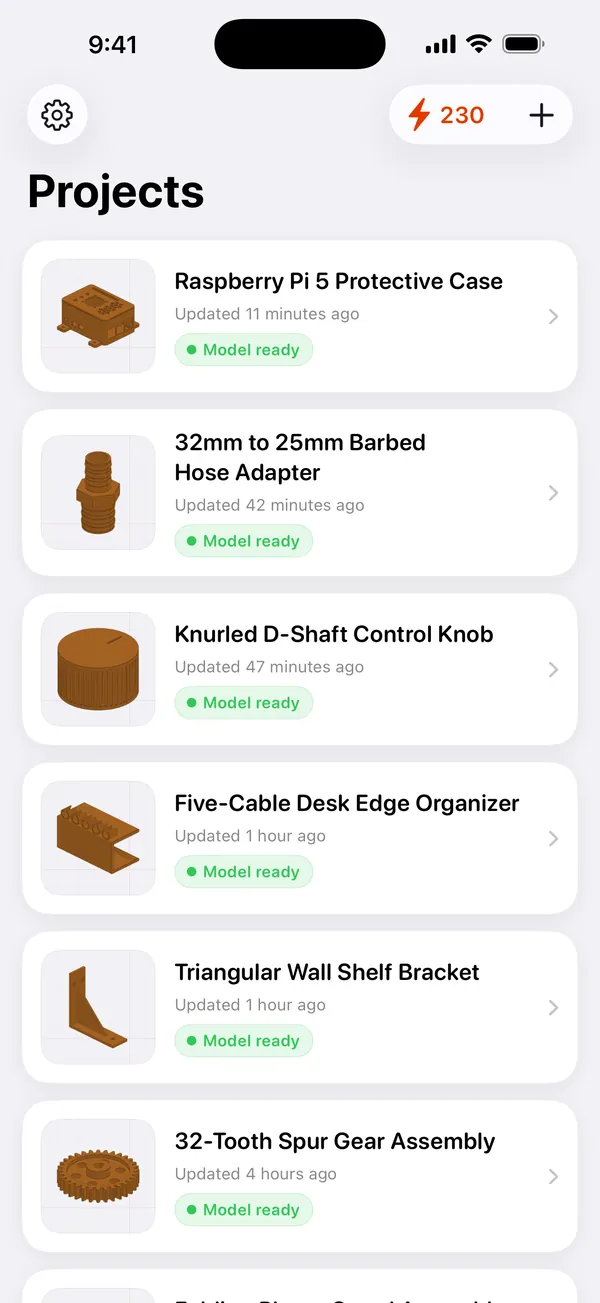
Keep every part
Every project stays in one list, with a preview of its latest model.
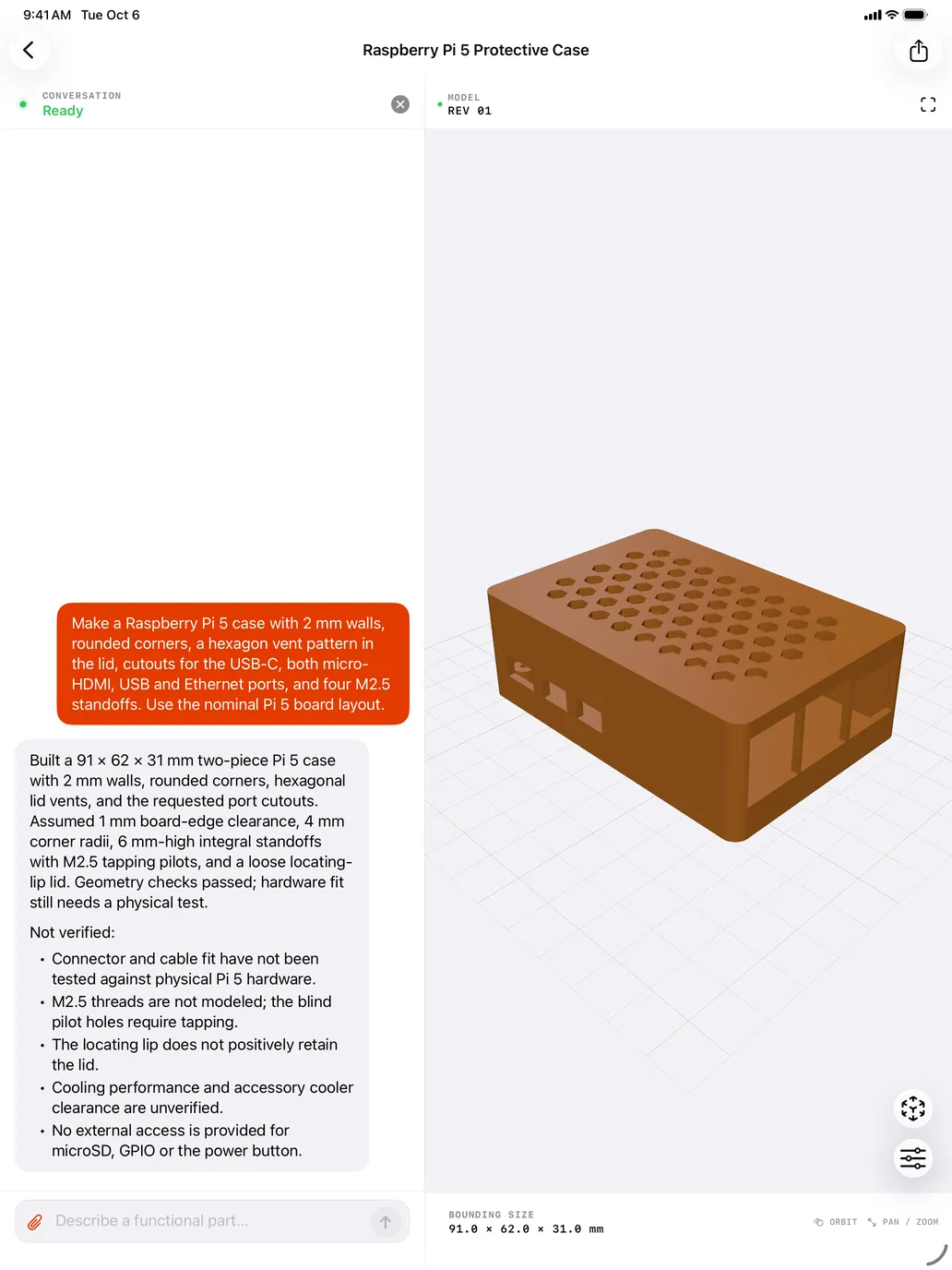
The same app, a bigger bench.
On iPad the chat and the model sit side by side, so you can read the reply and turn the part in one view. SaySolid is one universal app for iPhone and iPad.
Features
What SaySolid does.
There are no sketches to draw, no constraint solver and no feature tree to learn. You get a conversation, a solid model with measured dimensions, and a record of every change you made to it.
Chat and model
You type. SaySolid builds.
Every part starts as a message. Describe what you need and a solid model comes back. Send a follow-up and the model changes with it. The conversation and the model stay in one project.
YOU A parts box, 80 × 50 × 30 mm
↳ REV 01 · 80.0 × 50.0 × 30.0 mm
YOU Make it 20 mm taller
↳ REV 02 · 80.0 × 50.0 × 50.0 mm
Measured, not assumed
Ask for the sizes you need in millimetres, then check the model against them. The overall size shown under every model is measured from the finished geometry, never copied back from your request.
Every version kept
Each change is saved as its own revision, numbered REV 01, REV 02, REV 03. Earlier revisions stay exactly as they were, so nothing you built is overwritten.
Parts that move together
Ask for another part and SaySolid builds the assembly. The joints are real hinges, slides and sockets, so you can pose them and watch the parts follow each other.
Look at it from any angle
One finger to orbit, two to pan, pinch to zoom. Check the shape and the dimensions on screen before the part is made.
Projects
Your projects in one list
Every project sits in one list with its own preview. Archive the projects you have finished, and restore them whenever you need them again.
Official live benchmark
Track the score we cannot mark.
We upload each complete run to CADGenBench. Its blind score is our primary success metric. Our local checks stay visible as secondary diagnostics.
View public evalsLatest full runsOfficial live result · 0 to 1
solN/ALoading live result
terraN/ALoading live result
lunaN/ALoading live result
Only completed CADGenBench submissions receive a score here. An unvalidated result stays marked as unvalidated on the full record.
How it works
From a sentence to a part in three steps.
Describe the part
Write down the shape you want and the sizes that matter, in your own words. SaySolid asks a question when something important is missing.
“A parts box, 80 × 50 × 30 mm”SaySolid builds it
A 3D solid appears on screen as REV 01, with its measured dimensions shown underneath. Turn it around and look at it from any angle.
REV 01 · 80.0 × 50.0 × 30.0 mmRefine it with a sentence
Say what should be different and the next revision changes exactly that. The rest of the part stays as it is, and the earlier revisions stay where you left them.
“Make it 20 mm taller”Availability
No release date yet.
SaySolid will ship as one universal app, so a single download covers both devices.
Coming sooniPhone & iPad